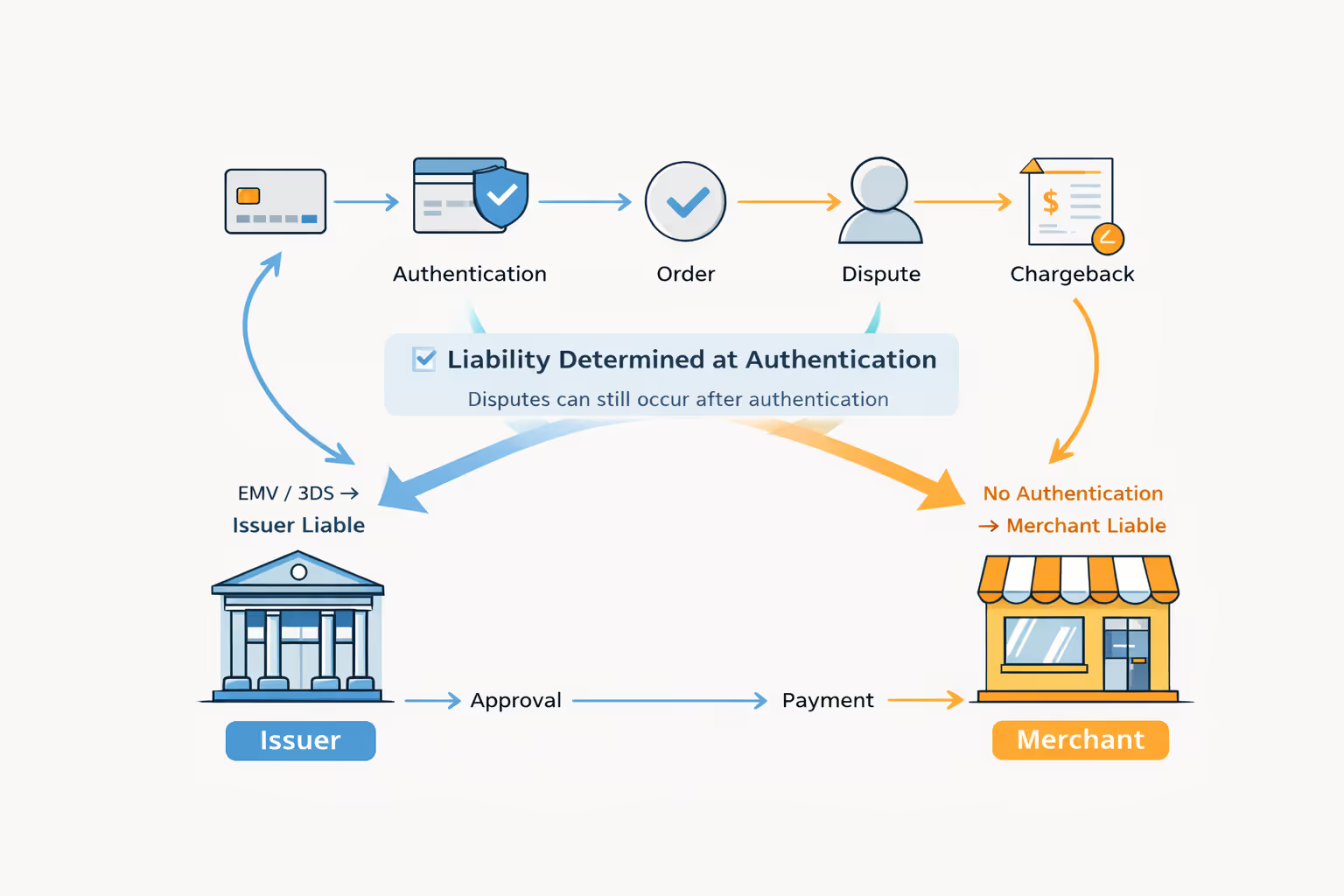












Affirm Disputes: How to File, Timelines and Merchant Responses

rétrofacturation?
Ce n'est plus votre problème.
Recover 4x more chargebacks and prevent up to 90% of incoming ones, powered by AI and a global network of 20,000+ merchants.


 Plus de 600 avis
En bref :
- Identify whether the purchase uses direct Affirm checkout, a processor integration or an Affirm Card route.
- Direct Affirm and Stripe publish different filing and decision windows; follow the instructions for the actual case.
- Merchants should use the notice’s webform or portal action channel rather than replying by email.
- Submit purchase-specific evidence by the displayed due date and retain confirmation.
- Reconcile the decision with settlements and existing refunds before issuing another credit.
- Purchases financed at Affirm checkout usually follow Affirm's own dispute process. An Affirm Card purchase may be handled as a Visa dispute instead.
- Answer an Affirm dispute through the webform or Merchant Portal named in the notice. Affirm does not accept replies to the notification email.
- Merchants usually get 15 days to send evidence. Affirm then rules within 15 calendar days, so track the due date shown on your notice.
- Affirm sides with whoever best supports its claim. Match your evidence to the problem: nonreceipt, unacceptable product, cancellation or return, or a wrong amount.
- Under Affirm's U.S. policy, the merchant pays a $15 fee when a case goes to the customer. Reconcile each result with settlement entries and past refunds.


An Affirm dispute is a customer complaint about a purchase paid for or financed through an Affirm product. How the merchant responds depends on the integration and the payment product. Affirm may handle the case, or it may run through a card-payment provider.
Start with the actual notice. An Affirm checkout purchase and an Affirm Card purchase may not share the same evidence channel or fee rule. Once you know the route, our guide to BNPL dispute evidence shows what to collect.
{{cta}}
How to Dispute an Affirm Purchase (Customer Side)
For a purchase problem, first ask the merchant to resolve it and keep the conversation, order confirmation and any return or refund record. If the issue remains unresolved, sign in to Affirm, identify the purchase and use Affirm’s dispute or support route for that product. Explain the problem and the outcome you requested. Report suspected unauthorized activity promptly through Affirm’s fraud-support route.
Affirm dispute timelines depend on the payment route
Direct Affirm U.S. merchant-policy route
The cited policy does not set a post-purchase filing cutoff. It gives merchants a typical 15-day response period and says the decision is communicated within 15 calendar days of evidence collection.
Affirm processed through Stripe
Stripe documents 120 calendar days from purchase to file, 15 days for merchant evidence and a decision within 60 days of dispute creation. Use the deadline in the Stripe case.
Affirm Card or another card route
Check the card agreement and provider notice. Card-network procedures can differ from the direct merchant-policy process.
While an eligible direct dispute is open
Affirm’s cited policy pauses customer payments and withholds the disputed amount. Confirm the status for your product; a return request by itself does not establish an open dispute.
These are separate documented processes, not interchangeable promises. Sources: the Affirm U.S. policy linked below and Stripe’s Affirm payment documentation, checked October 29, 2026.
Affirm does not automatically side with the customer or the merchant; its policy says it evaluates which party best supports its claim. Keep the case reference and watch for requests for information. No fixed end-to-end resolution time follows from adding two response windows together.
Identify the Payment Product and Case Owner
Find the case in the system that owns the response
Customer with a purchase problem
Start with the purchase in your Affirm account and the applicable support channel. Keep merchant contact and refund records.
Merchant notified by Affirm
Use the action link or Merchant Portal case. Match the loan or charge reference, order, amount and due date.
Merchant notified by a processor
Use that processor’s dispute queue and evidence instructions. Do not assume a reply in Affirm’s portal completes a Stripe or card-provider case.
More than one notice or credit
Link the references and reconcile the amount before taking another financial action. A previous response may not answer a new case.
Affirm describes its card product on the official Affirm Card page. For merchants, the key questions are which transaction your provider processed and which system sent the evidence request. Use that record to pick the dispute route.
| Case detail | Why your team needs it |
|---|---|
| Order and charge or product reference | Connects the purchase to the disputed financing or payment. |
| Dispute reason and customer comments | Defines what the response must address. |
| Montant litigieux | Separates full-order claims from partial issues. |
| Due date and action link | Identifies the required response time and channel. |
| Store or account | Prevents a case being missed in another account’s queue. |
Use the Notice’s Action Channel
Affirm’s Merchant Portal dispute guide describes two ways to respond: a webform or the portal. Replies to the notification email are not supported. The guide gives a typical 15-day response window, but the notice and detail page show the actual due date.
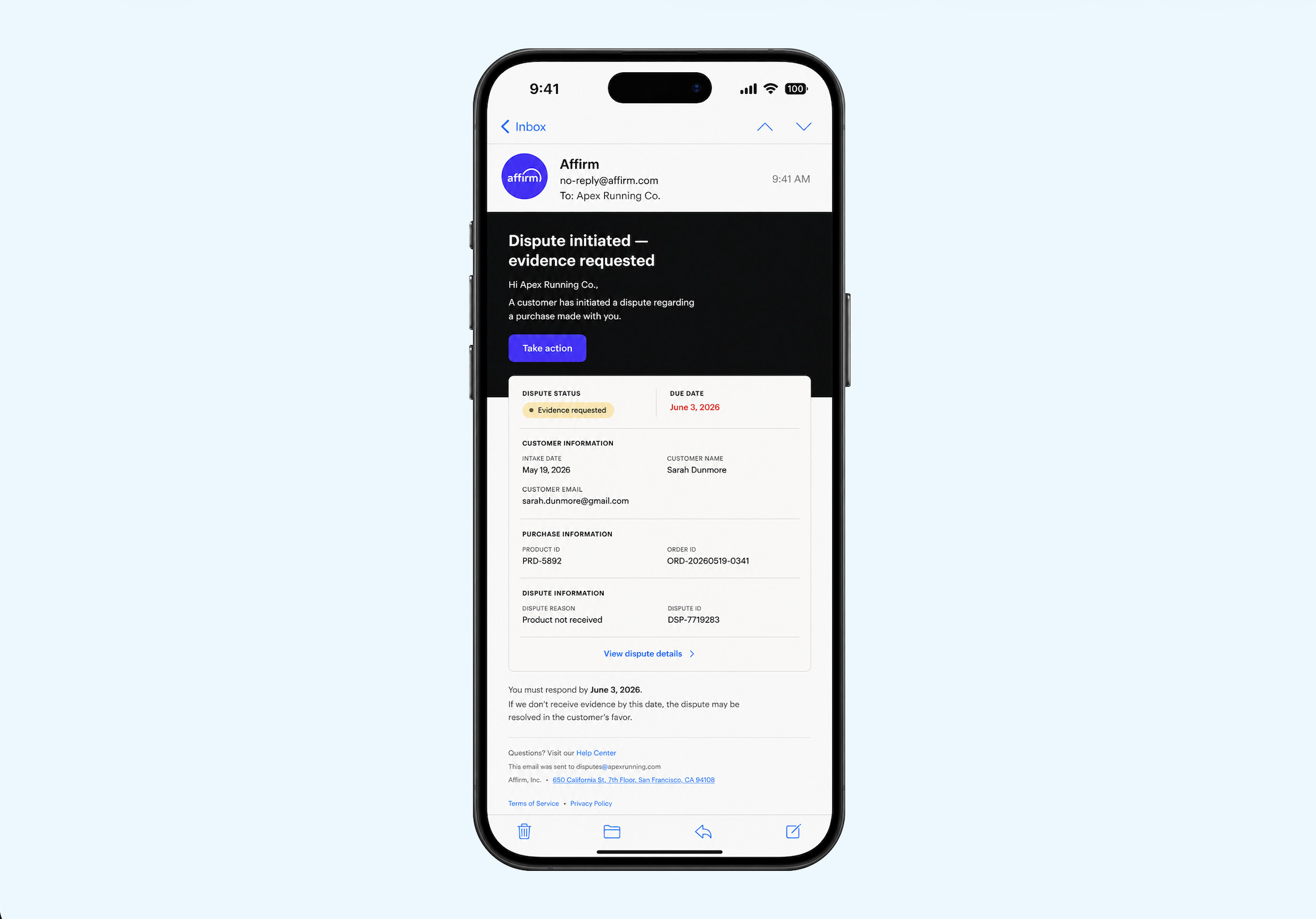
The image is only an example. It does not show the deadline for your case. Assign one person to check the current notice, match the transaction, and confirm the response was sent. Save the confirmation with the response files.
Build Evidence Around the Purchase Problem
Follow the current case and provider requirements
Prepare Affirm evidence for the purchase problem
Nonreceipt
Nonreceipt: the delivery terms you agreed to and what happened with the shipment.
Unacceptable product
Unacceptable product: how the item was described at purchase, the customer complaint, and the fix you offered.
Cancellation or return
Cancellation or return: the request, whether you accepted it, when the goods came back, and the refund status.
Incorrect or duplicate amount
Incorrect or duplicate amount: the price the customer agreed to, the payment IDs, and any changes.
For nonreceipt and product-description cases, give the facts for that specific claim. For billing errors, reconcile the amounts before you respond. A generic policy file does not replace a clear account of what happened.
Use standard evidence categories and a short timeline of events. If the complaint is valid, record the remedy you offered instead of fighting by default.
{{cta}}
Make the response easy to verify
Start with a short account of the purchase, the complaint and your response. Attach records that establish each point, rather than an unrelated bundle of policies. For delivery, identify the package and address; for cancellation, show the request and policy applicable at purchase; for a refund, show the processed amount, date and reference. Check that the amounts in the narrative agree with the attached records.
Keep one submission owner, a copy of the response and its confirmation. If the complaint is valid, follow the case’s acceptance or refund procedure and record the resulting adjustment.
Read Status and Settlement Records Together
Affirm’s portal shows four kinds of cases: action needed, under review, won by the merchant, and refunded to the customer. Sending a response does not settle the money. Match the final decision to the payment and settlement adjustments.
The Affirm dispute-resolution policy and your merchant agreement set each side’s duties. Under the policy, the merchant pays a $15 dispute fee when a U.S. case is decided for the customer. It also says Affirm decides within 15 calendar days of collecting evidence. Check the terms for your integration. Then match them to the actual settlement entries.
Before you issue another credit, check for refund and dispute overlap. Check partial amounts with care. Link the processed refund ID to the original transaction. Our guide to partial refunds during a BNPL dispute walks through the ledger.
Monitor Follow-Up Requests and Repeated Causes
A past response does not prove that every later request is already met. Review each new notice, link it to earlier case references, and follow the current instructions. Keep each store’s queue visible to the person who owns it.
Related guides:
- Another BNPL workflow: Klarna dispute handling or Sezzle merchant disputes.
- Provider comparison: Klarna vs Affirm.
- Card-routed cases: the credit-card chargeback framework.
For supported providers, Chargeflow’s automated recovery gathers the evidence and sends the response for you.
Continue learning: Wallets and BNPL
Use Wallet and BNPL Disputes: Choose the Correct Payment Route to choose the next merchant task in this topic.
- Apple Pay Chargebacks: Payment Routes and Merchant Responsibilities: Apple Pay card-payment chargebacks and the correct processing route.
- Apple Pay Dispute Evidence: A Merchant Preparation Guide: Apple Pay payment matching and merchant evidence preparation.
Sources and scope
Source notes checked: October 29, 2026. Affirm U.S. merchant dispute policy. The cited policy describes an applicable $15 fee when the customer wins. It does not set a global Affirm fee. Tell a direct Affirm loan dispute apart from a card-funded route, and use the case’s actual due date.
For a live case, keep the provider notice, the rule that applies, and the edition or effective date of the document that sets it.
Foire aux questions
How do I dispute an Affirm purchase?
Try to resolve a purchase problem with the merchant, then identify the purchase in your Affirm account and contact the dispute or support channel for that product. Keep your order, merchant messages and return or refund records. Chargeflow provides merchant dispute tools; it does not open or decide a customer’s Affirm claim.
How long does an Affirm dispute take?
The process varies. Affirm’s cited U.S. merchant policy describes a decision within 15 calendar days of evidence collection. Stripe’s Affirm documentation describes a decision within 60 calendar days of dispute creation. These clocks start at different events, so check the actual case instead of expecting every dispute to finish in one month.
Does Affirm side with the customer or the merchant?
Affirm’s policy says it decides based on which party best supports the claim. A filed complaint, submitted merchant response or temporary withholding of funds is not the final decision. Provide accurate records that address the purchase problem and check the final case status.
Can a merchant reply to an Affirm dispute notification email?
No. Affirm’s Merchant Portal guide says replies to the notification email are not supported. Use the action link, webform, or Merchant Portal route named in the notice.
How long does a merchant have to respond to an Affirm dispute?
Merchants typically have 15 days to respond to an Affirm dispute. The actual due date appears in the notice and on the dispute detail page, so follow that date.
Does every Affirm payment use the same dispute process?
No. Each Affirm product and setup can use its own dispute route. Find the transaction and the notice first. Then use the right portal steps, card network deadline, or fee.

rétrofacturation?
Ce n'est plus votre problème.
Récupérez 4 fois plus d'rétrofacturation s et PRÉVENTION jusqu'à 90 % des messages entrants, grâce à l'IA et à un réseau mondial de 20 000 commerçants.