



























































Empty-Box Chargebacks: Packing Evidence and Return Inspections


Chargebacks?
Dat is niet langer jouw probleem.
Recover 4x more chargebacks and prevent up to 90% of incoming ones, powered by AI and a global network of 20,000+ merchants.


 Meer dan 600 beoordelingen


TL;DR:
- Empty-box chargebacks come in two forms, an empty delivery claim or an empty return, and each needs different records.
- Most land under Visa 13.1, 13.3 or 13.6, or Mastercard 4853 or 4860, so read the case notice before you respond.
- Packing videos, weights and delivery scans each prove one link in the chain, so join them by order and parcel ID.
- Shopify Payments accepts only PDF, JPEG and PNG evidence, up to 2 MB per file and 4 MB in total, with no video.
- If inspection confirms your own packing error, fix it rather than contest the claim.
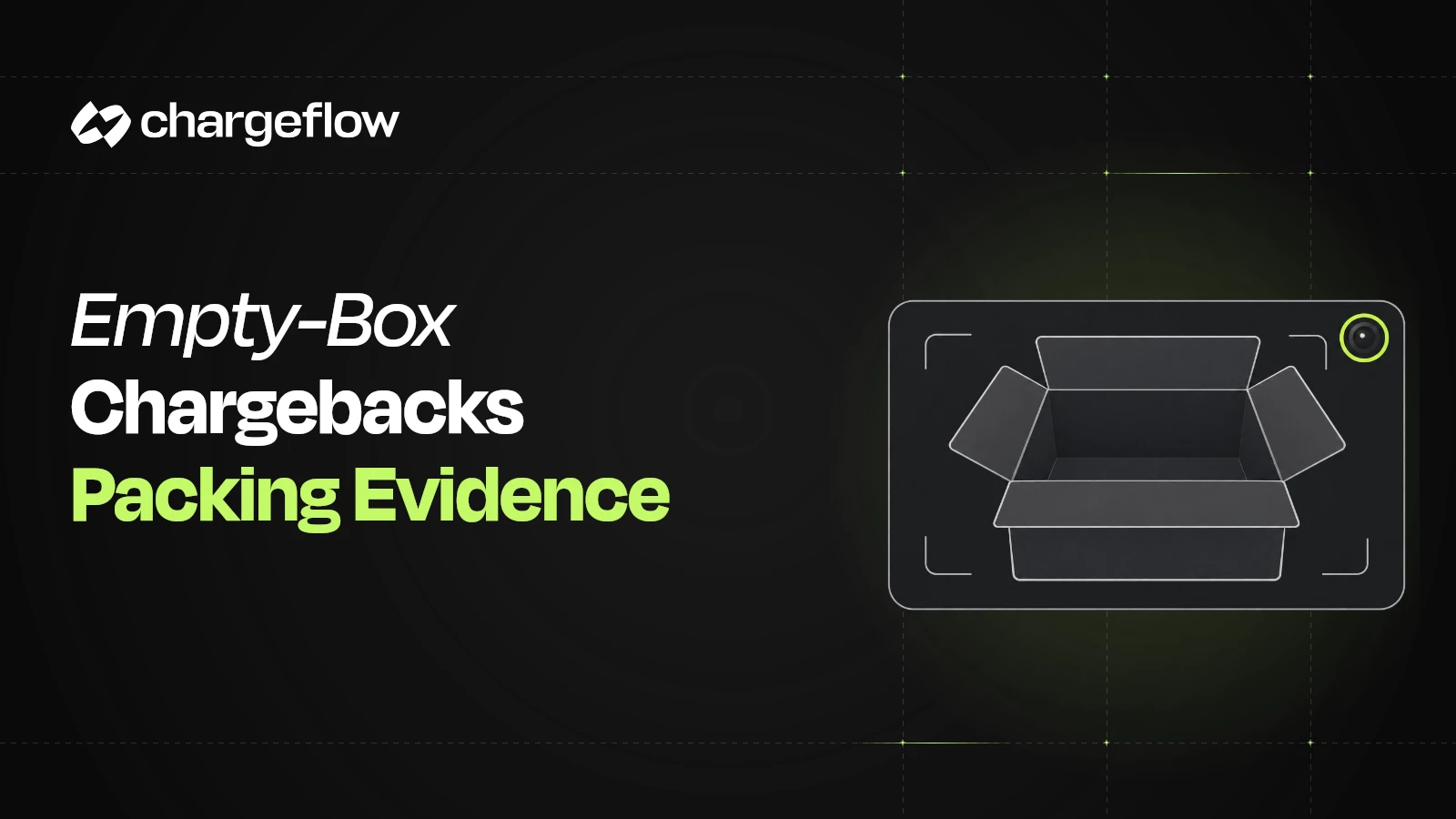
An empty-box chargeback is a dispute about missing contents. Either the buyer says a parcel arrived empty or short, or you get back an empty or incomplete return. To answer it, you need evidence about what was inside the box, tied to the right order and parcel.
First, decide which journey is disputed. Then match your packing, carrier and inspection records to the claim. A delivery scan, a weight or a packing video can each prove one part of the story. None proves the whole journey on its own.
{{cta}}
Treat every empty-box report as a claim to check, not proof of abuse. Pick errors, split shipments, transit damage and mistaken returns can all look like refund abuse. This guide gives you a workflow to investigate the claim and submit a clear response.
Which Type of Empty-Box Chargeback Are You Facing?
There are two kinds, and each needs different records.
Read the case notice before you choose a response. Shopify’s chargeback reasons separate product-not-received claims from product-unacceptable claims. There is no single empty-box reason code. The issuer’s claim and your provider’s fields decide what you can submit.
The broader return-fraud guide covers common abuse patterns. To tell the main dispute types apart, see friendly fraud vs stolen-card fraud vs return abuse. This page focuses on the evidence for one disputed parcel.
Which Reason Codes Cover Empty-Box Disputes?
Empty-box claims usually land in one of three dispute families. The family tells you which records matter most. Your processor may show its own category name next to the network code.
These mappings follow Stripe’s dispute category reference. Visa’s Dispute Management Guide for Merchants (October 2026) lists the full delivery address and courier delivery status as 13.1 response items. For 13.6, it says you can respond that no credit was due because the buyer did not meet the conditions of your disclosed policy.
Stripe’s evidence guidance asks the same question for both not-as-described and credit-not-processed claims: did the customer return the merchandise, in whole or in part? That is exactly where return inspection records earn their place. For more detail on each code, see chargeback reason codes and the Visa 13.1 guide.
Build Packing Evidence for Empty-Box Chargebacks
A warehouse file only helps if you can join it to the disputed sale. For each record, ask who can pull it, which ID links it to the next record, and what happens if it is missing.
This is an operating checklist. It does not guarantee eligibility or a dispute outcome.
Keep parcel-level detail for split shipments. An order marked delivered can include a second parcel that never left the warehouse. A replacement can also carry a different tracking number. The item mapping matters more than a screenshot of the overall order status.
If a 3PL packs your orders, write these needs into the 3PL evidence handoff. Include order and item IDs, packing exceptions, parcel references, source timestamps and a named contact. Test retrieval on an old order before a live case exposes a broken link or an expired camera archive.
Ask the Customer for a Factual Account
Ask which items or accessories are missing. Ask if the outer box was damaged or looked resealed. Request photos of the label, packaging and contents. Explain what you are checking and when you will reply.
Do not treat a missing unboxing video as proof the complaint is false. At the same time, check your own records for pick shortages, substitutions, canceled lines, backorders and multiple packages. If you left an item out, fix that error. Do not present the delivery scan as proof of a complete order.
What Packing Videos Can Show and What They Leave Open
A useful packing video links identifiable goods to the disputed parcel and records the box being sealed. A wide security-camera view may show someone packing a box but leave the product, serial number or label unreadable. A high camera resolution on paper does not mean your setup captures usable evidence.
Test your recording with your real products, labels and lighting. In a sample clip, check that a reviewer can:
- Read the order or parcel reference without guessing.
- See the item, the quantity and any recorded serial number or mark.
- Follow packing and sealing with no unexplained change of box.
- Read the applied label and match it to the dispatch record.
- Retrieve the original file and explain its time and timezone.
This is a capture-quality check, not a card-network standard. A recording can support what happened at the packing station. It does not show later handoffs, prove the buyer authorized the payment, or prove what finally reached the customer.
Convert the Video Into an Accepted Evidence Format
Keep the original recording intact. If your provider takes images or documents but not video, prepare clear, labeled stills of the key moments. Add source timestamps and a short note. Call them extracts, and never imply a continuous sequence that was not recorded.
Shopify Payments is strict about format. Its evidence-upload requirements accept only PDF, JPEG and PNG files:
2 MB Max size per evidence file | 4 MB Max combined evidence | <50 Pages per PDF | 0 Video, audio or external links accepted |
Source: Shopify Help Center, chargebacks in admin. PDFs must also be PDF/A compliant. Check the current page before you submit.
With a 4 MB total budget, plan your files before you export. For example, four compressed stills of about 400 KB each leave room for a dispatch record, carrier history and an inspection report. A cloud-video link is not a substitute for an accepted upload.
Make each still readable at normal size. Say what it shows, where it came from and how it links to the parcel. Skip large collages of tiny screenshots and unrelated customer records.
Package Weight Supports an Investigation, Not an Item Identity
Before you compare weights, find out where each number came from. These are different records, and they prove different things:
Keep the unit, date, parcel ID and source next to each value. Never describe a weight you typed in as a carrier measurement.
A fair comparison also needs a like-for-like package. Did the original figure cover the full packed order? Did the return use the same carton and padding? Were all accessories meant to come back? Could a product variant explain the gap?
A lighter return can flag missing contents. A similar or heavier return can still hold the wrong item or extra packing. Weight tells you about mass. Item-level inspection tells you about identity and condition. Keep both, rather than picking the one that suits your view.
If you suspect transit damage or tampering, keep the packaging and contents as the carrier directs. UPS’s US claims guidance tells customers to hold on to damaged contents and packaging. It asks for photos of the item, the label and the outside of the box.
A carrier claim and a payment dispute are separate processes with their own rules. If you sell shipping cover, see how package protection compares with chargeback coverage.
Inspect an Empty or Incomplete Return Before You Describe It
Record the return authorization, tracking number, receipt time and receiving location. Photograph the unopened parcel and its label. Note any damage or resealing. Then document the opening and item inspection under your normal procedure.
Keep the goods and packaging while the case needs them. Compare what arrived with the agreed return: SKU, serial number, quantity, accessories and condition.
“Return delivered” proves a parcel arrived, not that the right goods were inside. In the same way, one missing accessory does not make the whole original sale fraudulent.
If a PayPal case asks you to confirm a return arrived, answer truthfully. Use the case channel to explain the contents gap, and ask support how to add inspection records if the form does not fit.
Do not mark a delivered parcel as undelivered to show you disagree with its contents. For PayPal return-refund disputes, see how to handle credit not processed PayPal disputes.
A Hypothetical Example: A Heavier Return With One Item Missing
Say you sell a $240 camera kit that includes a $30 detachable accessory. Your warehouse records the item IDs and the packed weight. The buyer returns a parcel that weighs more than the outbound one. Inspection finds different padding and no accessory. These facts are invented for illustration.
Your response should name the disputed amount and the missing part, attach the records and disclose any gap. Do not call the parcel empty when it held the camera.
Do not assume you may deduct $30, either. Your return policy, the agreed remedy, the buyer’s rights and your provider’s process must support that step. The example shows why weight and inspection answer different questions.
Assemble a Concise Empty-Box Chargeback Response
Use the chargeback evidence source map to find the payment, order, warehouse and support records. Then build a representment packet that answers the claim directly:
- Identify the case. State the payment, order, disputed items, amount, reason and deadline.
- Summarize the complaint neutrally. Say whether it is an outbound contents claim or a return discrepancy.
- Give a dated timeline. Link the order, packing, handoff, delivery, complaint and return.
- Label each exhibit. Say what each packing image, scale record, carrier record or inspection note shows.
- Include the resolution history. List any refund, replacement, agreed return or partial remedy.
- Name the limits and submit. Disclose missing footage or IDs. Check file formats and confirm the submission before the deadline.
Your evidence index can be short: “Exhibit A: packing-station stills for parcel P. Exhibit B: dispatch record linking P to order O. Exhibit C: carrier history for P. Exhibit D: customer emails. Exhibit E: return inspection.” Use your real references, and drop anything that hides the useful links.
For Shopify Payments, the resolution guidance separates contesting a case from accepting a valid one. It also limits refunds while a chargeback is open. A separate payment to settle the complaint can make reconciliation harder. Follow the actual case route.
{{cta}}
When the Evidence Points to a Different Response
Contest the claim when your records support the fulfillment and answer the specific allegation. If inspection confirms you left something out, or the evidence points to transit loss, bring in your operations and support owners. A good investigation can confirm the buyer was right.
Keep item-not-received chargebacks separate from product-condition or contents claims. For PayPal, check the market and claim route. US Seller Protection is not a general guarantee against significantly-not-as-described claims. See the Seller Protection guide and the current terms before you rely on coverage.
Some confirmed omissions are cheaper to refund early. Chargeback alerts can give you a window to refund a valid claim before it becomes a chargeback. Parcels held at customs need their own process, covered in customs refusal and item-not-received disputes.
Do not blocklist a customer after one unclear report. Repeated patterns may justify a documented review under your return and refund controls. A delivery exception or an unreadable video alone does not prove abuse. Tight controls can also cost you good orders, so balance them using ways to prevent chargebacks without blocking good customers.
Watch for known patterns, such as scammers claiming an order was not delivered. For a wider view, see the ecommerce fraud prevention guide.
If you sell on Shopify with Shopify Payments, Chargeflow Prevent screens orders after purchase and before fulfillment for refund abuse and other post-purchase fraud. It costs $0.10 per scan, and new merchants get their first 1,000 scans free through December 31, 2026.
Make Packing Evidence Easy to Retrieve, Not Just Record
A small store may handle the odd case with a steady packing routine and one named reviewer. More volume, more warehouses and split shipments make retrieval harder. Teams running multi-store ecommerce chargeback operations face this most.
Measure how long it takes to build a usable packet, and which records are often missing. Installing cameras is not the same as having good evidence.
Chargeflow Automation pulls connected order, delivery, refund and support records into responses for supported disputes. You pay only when a chargeback is recovered.
Your warehouse still needs to capture and keep reliable packing records. Confirm which records your connected workflow can pull and who handles missing material. The issuer or payment provider decides the outcome. For the bigger picture, see ecommerce chargeback management.
Veelgestelde vragen
Is an empty-box claim automatically chargeback fraud?
No. An empty-box claim can come from a packing error, transit damage, a split shipment, a mistaken return or deliberate abuse. Check the item and parcel records before you decide. In the response, describe the claim and the verified facts rather than treating the complaint itself as proof of fraud.
What reason code is used for an empty-box chargeback?
There is no single empty-box reason code. A claim that the box arrived empty is often filed as not received (Visa 13.1, Mastercard 4853) or not as described (Visa 13.3, Mastercard 4853). An empty or incomplete return usually shows up as credit not processed (Visa 13.6, Mastercard 4860). Read the case notice to see which applies.
Does proof of delivery defeat an empty-box chargeback?
Not by itself. A delivery record shows a parcel reached an address, but it does not show what was inside. Pair it with packing, item and customer records. The claim reason, the provider’s rules and the quality of your evidence decide what else you need. Delivery proof does not guarantee a win.
Can I submit a packing video for a Shopify Payments chargeback?
No. Shopify Payments does not accept video files or external links as chargeback evidence. Keep the original recording and submit clear, labeled stills as JPEG, PNG or PDF files, within 2 MB per file and 4 MB in total. Explain the source and sequence without implying the stills prove an unbroken recording.
What if a buyer returns an empty box but tracking shows delivered?
Confirm that the return parcel arrived, then document the contents gap with the label, receipt time, opening record and inspection results. Submit this through the provider’s case process. If the form only asks about delivery, answer truthfully and ask how to add the separate contents issue.
What if I do not have a packing video?
Use the reliable records you do have: item scans, packing exceptions, parcel mappings, dispatch weights, carrier history and customer emails. State the gap honestly. Never recreate an old packing event or present a new demo as historical evidence. Improve capture for future orders without delaying the active response.
Recover Empty-Box Chargebacks Automatically
Chargeflow Automation builds evidence from connected order, delivery and support records for supported disputes. You pay only when a chargeback is recovered.

Chargebacks?
Dat is niet langer jouw probleem.
Haal 4x meer chargebacks terug en voorkom tot 90% van de inkomende betalingen, dankzij AI en een wereldwijd netwerk van 20.000 handelaren.