





















%201.svg)




































Stripe Payout Holds: Understand Your Status and Next Steps

Chargebacks?
No longer your problem.
Recover 4x more chargebacks and prevent up to 90% of incoming ones, powered by AI and a global network of 20,000 merchants.


 600+ reviews


TL;DR:
- Identify whether the issue is settlement, a failed payout, a reserve, or an account restriction.
- Respond to the exact account notice through authenticated channels.
- Use a three-day action plan for organization, not as a promised release timetable.
- Keep fulfillment, refunds, and dispute deadlines managed during the review.
A Stripe payout hold is a restriction that prevents some or all account funds from being paid out. It is different from ordinary settlement timing, a failed bank payout, or a reserve, so the first step is to identify the exact status and required action shown for your account.
Use the account notice and authenticated support process to establish what is needed. There is no universal three-day release timetable, and repeated escalation messages do not replace missing documentation. A clear case record helps your team respond accurately and plan cash flow while the review proceeds.
Distinguish the Payout States Before Taking Action
| State | What It Means | First Check |
|---|---|---|
| Pending balance | Funds have not yet become available | Settlement timing for the payment and country |
| Available balance | Funds are available under the account’s current conditions | Payout schedule and any account-level notice |
| Failed payout | An attempted bank payout did not complete | Failure details and destination account information |
| Reserve | Funds are retained for expected exposure | The reserve notice and release conditions |
| Paused or restricted payouts | An account condition prevents payout activity | Required information and the account support route |
The Stripe balances documentation distinguishes pending, available, and reserve funds. The payout documentation explains payout timing and failure handling. Start with those distinctions instead of treating every delayed deposit as a frozen account.
Day 1: Identify the Requirement and Submit a Complete Response
Sign in to the correct account and review the notice, requested information, payout details, and relevant emails. Check whether the business uses a direct account or receives payments through a platform. A connected account may need to work with the platform as well as the available Stripe support route.
- Record the exact notice, account, affected payout, and date.
- List every requested document and the stated submission method.
- Confirm that business, identity, and bank details are consistent.
- Prepare relevant fulfillment and refund records if requested.
- Keep a record of what was submitted and any remaining requirements.
Send sensitive documents through the authenticated route specified for the account. Do not post identity documents, bank details, or customer information publicly. A concise submission that answers the request is more useful than repeated attachments that do not address the stated issue.
Day 2: Confirm Status and Resolve Missing Information
Review whether submitted items were accepted, remain under review, or require correction. Keep related communication in a coherent case thread. Ask which requirement remains unresolved and what further information would help, rather than assuming that another support channel will change the review outcome.
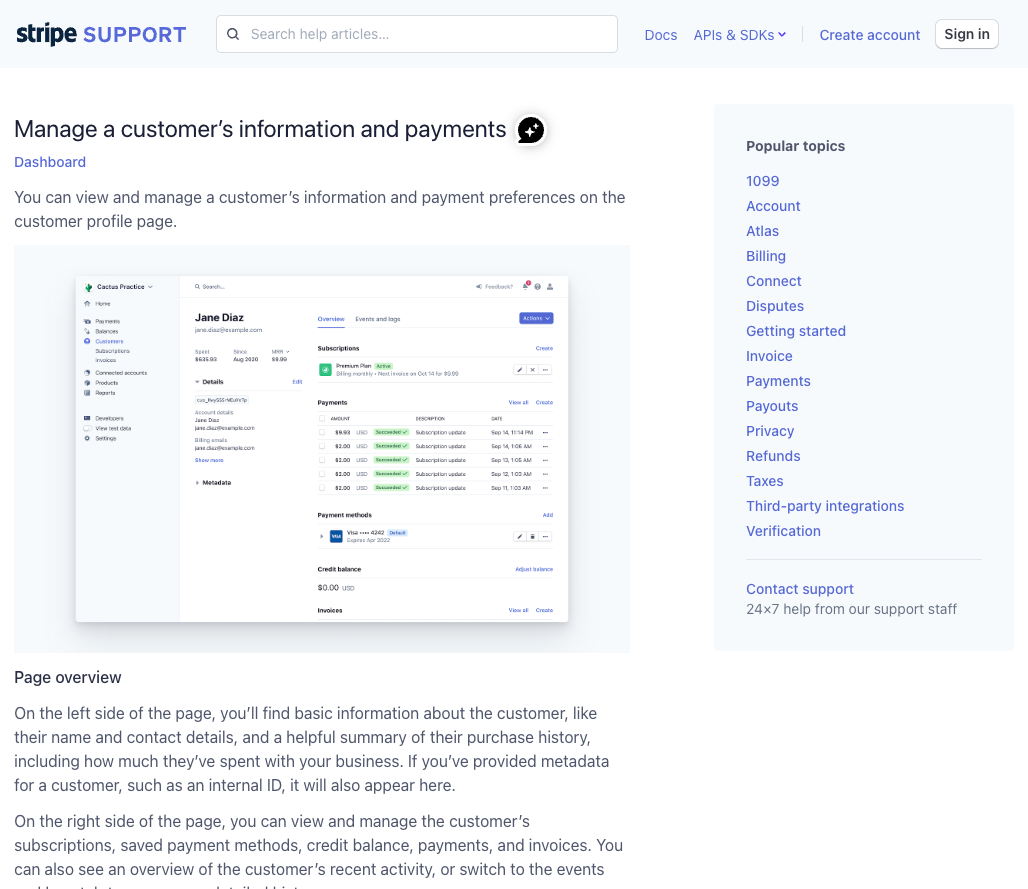
The existing support screenshot below illustrates a general help interface, not a payout decision or a promise about the current layout. Use the authenticated support options available for your account.
Give one internal owner responsibility for updates. Finance, operations, and leadership should work from the same record of available funds, restrictions, requested documents, and expected obligations. Avoid promising suppliers or customers a release date that the provider has not confirmed.
Day 3: Update the Operating Plan and Follow the Stated Process
If the review remains open, update your cash-flow plan using confirmed available funds. Review upcoming fulfillment, refunds, and supplier commitments. Continue supplying requested information and ask for clarification through the established support process when a notice is unclear.
Do not use public pressure, repeated duplicate cases, or an unrelated new account as a substitute for resolving the underlying requirement. Any additional payment arrangement should be legitimate, properly disclosed, and operationally appropriate, with its own onboarding and obligations.
A reserve and a payout restriction can require different actions. For platform-managed accounts, Stripe’s connected-account reserve documentation describes a specific platform reserve mechanism. Its settings and limits should not be generalized to every direct-account hold.
Address the Operational Causes You Can Control
Review incomplete business information, fulfillment delays, refund exposure, and dispute trends where relevant to the notice. A rising dispute rate can deserve attention, but there is no universal percentage that automatically explains every payout restriction or guarantees one will not happen.
Use the chargeback reduction plan for recurring dispute causes. Improve fulfillment records and delay communication where customers are waiting on orders, and reconcile refund and dispute overlaps before issuing another credit.
For subscription businesses, the Stripe recurring payments guide helps distinguish billing failures, cancellations, and disputes. For suspected compromise, use the account takeover workflow rather than attributing every account issue to customer abuse.
Keep Chargeback Operations Separate From Release Decisions
Continue managing active disputes and customer obligations while a payout review is open. Check response deadlines, gather relevant records, and document accepted valid claims. The dispute workflow audit can help keep those tasks from being lost during a cash-flow incident.
Chargeflow complements Stripe with supported dispute automation and analytics. It does not control Stripe’s account review or release reserved funds. Confirm the integration’s coverage and use improved case visibility to support your own operational response.
Frequently Asked Questions
How long does a Stripe payout hold last?
A Stripe payout hold depends on the account condition, required information, and review process. Use the account notice and authenticated support guidance; no universal three-day release promise applies.
Is a pending balance the same as a payout hold?
No. A pending balance can reflect normal settlement timing. A payout hold or restriction is a separate account condition, while a failed payout concerns an attempted transfer.
Can chargeback software release held Stripe funds?
Chargeback software can support dispute operations but cannot control Stripe’s payout review or release funds. Resolve the account requirements through the supported process.
Explore Chargeflow’s automated chargeback recovery to organize evidence and manage supported dispute responses.
Chargebacks?
No longer your problem.
Recover 4x more chargebacks and prevent up to 90% of incoming ones, powered by AI and a global network of 20,000 merchants.


.png)
.webp)
.webp)
.webp)