%201.svg)




































How to Build Proceed, Hold, Verify and Cancel Rules for Shopify Orders


Chargebacks?
Dat is niet langer jouw probleem.
Haal 4x meer chargebacks terug en voorkom tot 90% van de inkomende betalingen, dankzij AI en een wereldwijd netwerk van 20.000 handelaren.


 Meer dan 600 beoordelingen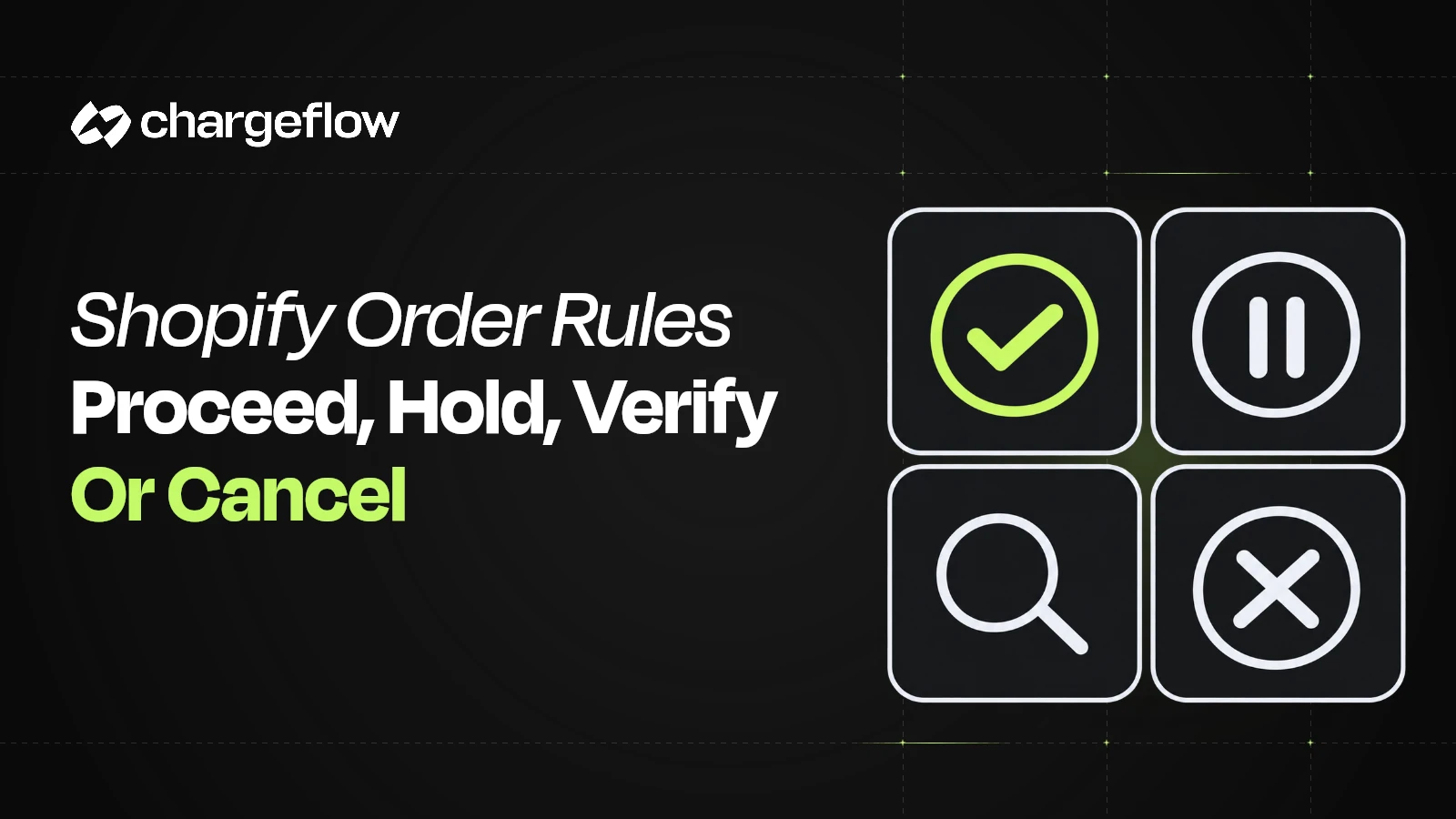


TL;DR:
- Proceed, hold, verify and cancel rules should combine risk confidence with net order exposure.
- Risk scores rank risk; merchant policy decides the action using evidence confidence and net exposure.
- Every order state needs entry criteria, an owner, a maximum duration and permitted transitions.
- A hold is an operational pause, while verification is a specific buyer action that can resolve the hold.
- Retries must be idempotent so the same event cannot send duplicate verification messages, refunds or releases.
- Historical replay, shadow mode and limited cohort rollout reduce the risk of a rule change harming good customers.
Build Shopify order rules by combining risk confidence and net order exposure, then assigning one of four states: proceed, hold, verify or cancel. Every state needs entry criteria, an owner, a maximum duration, permitted transitions and a logged reason so the rule can be audited and improved.
The decision model should be small enough for Operations to run and precise enough for Engineering to implement. The common failure is a long list of red flags with no precedence, timing or fallback.
Treat the four outcomes as a state machine. That prevents contradictory actions such as refunding an order while the warehouse releases it, or keeping a buyer in verification after the fulfillment cutoff.
Proceed
Evidence and economics support release
Release fulfillment and preserve the decision record.
Hold
A short wait or review can change the decision
Pause the enforceable fulfillment step and start an SLA.
Controleer
A buyer action can resolve material uncertainty
Send a clear request, deadline and success/failure transition.
Cancel
Residual risk exceeds tolerance or required verification fails
Stop fulfillment, apply payment policy and notify the buyer.
Separate score, confidence and business policy
The risk service ranks risk or classifies evidence; a numeric score is not automatically a probability of loss. The merchant decides how much risk to accept for a given order. Keep those layers separate so a threshold change does not masquerade as a model change.
Normalize every signal with a source, version and direction. When multiple scores exist, decide whether one is primary, whether reasons override the numeric level, and how unavailable data changes confidence.
Use exposure bands to select the action
Net exposure should include merchandise, fulfillment, shipping, fees and recoverability. Cross it with confidence tiers. Low exposure and ambiguous risk may proceed; high exposure and high confidence may cancel; the middle is where hold and verification create value.
Add customer and operational modifiers deliberately. Established good history can lower intervention, while irreversible digital delivery can shorten the window. Avoid dozens of exceptions that no one can explain.
A policy matrix for confidence and exposure
Swipe or scroll horizontally to view every column.
| Adverse-evidence confidence | Lower net exposure | Higher net exposure |
|---|---|---|
| Weak or missing | Proceed only within a documented tolerance; missing data is not a low-risk result. | Use a bounded hold if more evidence can change the decision. |
| Corroborated but unresolved | Review selectively when the likely benefit exceeds review and customer cost. | Hold, assign an owner and request a proportionate manual check. |
| Strong and relevant | Apply the approved rule and check customer history and corrections. | Escalate or cancel only under an approved irreversible-action policy. |
Merchant policy template, not universal thresholds or a promise that these exact inputs exist in Prevent. Confidence concerns adverse evidence; exposure is unrecoverable cost, not gross selling price.
Define transitions and timeouts
Write allowed transitions: hold to proceed, hold to verify, verify to proceed, verify to cancel. Define who can override and what happens when a timeout expires. A default release may fit low exposure; a default cancellation may fit extreme exposure.
Use idempotent actions. A retry should not send three verification messages, issue two refunds or release the same order twice. Keep one case identifier across Shopify, the risk tool and fulfillment.
Release the right hold, not every hold
In a custom Shopify integration, a fulfillment hold belongs to a fulfillment order. One customer order can have several fulfillment paths. Record which items and fulfillment-order IDs the risk action covers.
Shopify’s release-hold mutation supports specific hold IDs and warns that omitting them releases all holds on that fulfillment order. An approved fraud review must not silently clear an inventory, address or payment hold. Confirm the returned state and errors, then obtain acknowledgement from any warehouse system that acts independently.
Swipe or scroll horizontally to view every column.
| Test case | Required outcome | Retained evidence |
|---|---|---|
| Strict rule and broad proceed rule both match | The intended first-match rule wins. | Rule order, version and matched reason. |
| Fraud cleared; inventory hold remains | Release only the intended hold; do not ship until other requirements resolve. | Fulfillment-order and hold IDs, returned state. |
| Buyer responds after cancellation | Do not revive a canceled or refunded order through a stale event. | Current order state and reviewed next step. |
| Same decision arrives twice | One intended action; no repeated refund or release. | Case ID, action reference and reconciliation result. |
Suggested acceptance tests; they are not a claim that Prevent exposes these GraphQL fields or supplies a native test runner.
Test with historical and shadow decisions
Replay past orders to estimate how many would enter each state and which later disputed. Then run new rules in shadow mode, logging the proposed action without enforcing it, to reveal capacity and false-positive risk.
Launch gradually by value band, traffic percentage or product line. Version the rules and compare outcomes before widening them.
Worked example: one order, controlled transitions
Assessment → Hold
An unresolved, corroborated identity link meets the merchant’s review criteria. Record the rule version, owner and deadline; confirm the fulfillment hold before relying on it.
Hold → Manual verification
The buyer can resolve a specific uncertainty. Request only proportionate information through an approved channel; the fulfillment hold remains active.
Evidence resolved → Proceed
An authorized reviewer approves the order. Remove only the relevant fraud hold after checking payment, inventory and any other active hold.
Unresolved → Documented fallback
Nonresponse is not proof of fraud. At expiry, the named owner applies the preapproved exposure-based action and confirms any refund or cancellation separately.
This illustrates a merchant operating process. Automated Verify is still marked coming soon in Chargeflow’s workflow documentation. No customer result or universal timeout is implied.
Treat rule order as part of the policy
A rule can be logically correct and still fail operationally when a broader rule matches first. Chargeflow’s current workflow documentation specifically warns that a general proceed rule placed above the Repeat Disputers rule can cause a blocked identifier to be skipped.
The policy therefore needs both condition logic and precedence. Test each high-impact path with a representative order, record which rule fired and require a controlled change process whenever rules are inserted, reordered or disabled.
- Put narrow exception and confirmed-history rules above broad release rules.
- Test conflict cases where more than one rule is true.
- Version both thresholds and rule order so later outcomes can be attributed correctly.
Implementation sequence
- Define confidence tiers: Translate score and reason evidence into documented bands.
- Calculate net exposure: Use loss severity and recoverability, not gross order value alone.
- Build the action matrix: Cross confidence and exposure to produce the default state.
- Add transitions and expiry: Specify buyer response, analyst override and timeout behavior.
- Connect fulfillment: Make every hold and release enforceable and idempotent.
- Replay, shadow and ramp: Validate capacity and outcomes before full automation.
Failure modes and controls
Swipe or scroll horizontally to view every column.
| Failure mode | Business consequence | Control |
|---|---|---|
| Score equals policy | Model output directly cancels orders without business context. | Add exposure and merchant tolerance. |
| No timeout | Held orders miss delivery promises. | Set state-specific expiry and fallback. |
| Conflicting systems | Refund, release and cancellation happen independently. | Use one case ID and synchronized transitions. |
| Big-bang launch | Unexpected volume overwhelms analysts and CX. | Shadow test and ramp by cohort. |
Use the Shopify fulfillment decision framework to set exposure bands, then use the fraud-review automation guide for execution timing and the KPI dictionary to monitor the effects.
This guide builds on Shopify chargeback prevention before fulfillment. Chargeflow Prevent acts after checkout; it does not replace payment authorization or resolve every post-delivery service issue.
Availability checked October 27, 2026: the workflow Help Center documents Proceed, On Hold and Cancel; automated Verify is marked coming soon. A merchant can define a manual verification policy, but should not promise an unavailable automated flow.
How Chargeflow Prevent fits
Chargeflow Prevent provides order-level recommendations and Shopify workflow controls for proceed, hold and cancel decisions. Verify remains a useful merchant policy state, while Chargeflow’s automated buyer-verification experience is still marked coming soon in the workflow Help Center; confirm availability before relying on it.
Merchants should keep the policy matrix, override authority and acceptable friction explicit. That turns a predictive signal into a controlled business process.
{{cta}}
Frequently asked questions
What is the difference between hold and verify?
Hold is the operational pause; verify is a specific buyer action that may resolve the hold.
Should a timeout release or cancel the order?
Choose by exposure and confidence, document the fallback and communicate it to the buyer.
Can a rule use Shopify fraud analysis too?
Yes, if precedence and conflict handling are defined.
How should rules be tested?
Use historical replay, shadow mode and a limited ramp with versioned outcomes.
Who can override?
Name roles by value or risk tier and require a logged reason and later outcome review.
How do I automate high-risk order handling in Shopify?
Convert risk outcomes into explicit Shopify or warehouse states. Define proceed, hold, verify and cancel entry conditions; set an owner and timeout; make retries idempotent; and log every transition. Test in shadow mode before automatic cancellation so workflow errors do not become customer harm.
Does rule order matter in Chargeflow Prevent?
Yes. Chargeflow’s current Repeat Disputers documentation says workflow rules are evaluated from top to bottom and stop at the first match. Put narrow, high-priority controls above broad proceed rules, then test representative orders to confirm the intended rule; not merely any valid rule; fires.
Bronnen
- Workflow automation in Chargeflow Prevent
- Getting started with Chargeflow Prevent
- Shopify fraud analysis
- Shopify Order Risk API (legacy REST reference; check the current GraphQL documentation for new integrations)
- Shopify fulfillment-order hold
- Shopify release of specific fulfillment holds
Make Shopify Risk Rules Enforceable
Explore Prevent for Shopify order scoring and documented Proceed, On Hold and Cancel workflow controls.
Chargebacks?
Dat is niet langer jouw probleem.
Haal 4x meer chargebacks terug en voorkom tot 90% van de inkomende betalingen, dankzij AI en een wereldwijd netwerk van 20.000 handelaren.


.png)