












































Chargeflow Now Integrates With Recurly


Chargebacks?
No longer your problem.
Recover 4x more chargebacks and prevent up to 90% of incoming ones, powered by AI and a global network of 20,000+ merchants.


 600+ reviews


TL;DR:
- Connect Recurly under Subscriptions to add billing records to disputes.
- Match each credit to the invoice and payment it actually affected.
- Check active renewals separately. Recurly auto-cancellation is listed as coming soon.
Connect Chargeflow to Recurly to match a subscription dispute with its invoice, transaction and order history.
For a Connect merchant, confirm which merchant account and Recurly site own the subscription. That keeps one tenant’s records out of another tenant’s case.
Start with the billing evidence available for the disputed transaction.
What the Recurly Integration Does
Automatic Dispute Enrichment
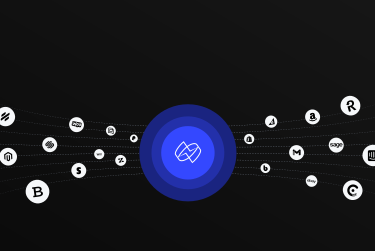
When a dispute comes in, Chargeflow now pulls subscription data from Recurly automatically. No manual exports, no copy-paste. The data flows directly into your dispute evidence, giving our AI more signal to work with and helping build a more complete picture of the transaction.
Stronger Dispute Narratives
Subscription disputes often hinge on showing that the customer agreed to recurring billing, was active at the time of the charge, and received the service. Recurly data gives Chargeflow the subscription context — plan details, billing dates, and status — needed to make that case clearly and compliantly.
Better Outcomes for Subscription Merchants
More relevant evidence means stronger, more complete submissions that are better positioned to win. This integration is built specifically to improve recovery on the dispute types subscription businesses face most.
Which Recurly Records Are Available Today?
The Chargeflow’s Recurly integration guide distinguishes these two capabilities:
- Available enrichment. Chargeflow looks up matching transactions, subscriptions, invoices, customers and order data when a dispute is created.
- Planned cancellation. The guide lists auto-cancel for Recurly as coming soon. Check the active subscription and handle the next renewal in Recurly.
If a renewal needs to stop, confirm its effective cancellation date before the next billing run.
Use the Dispute page to confirm the matching Recurly records. Check that the invoice covers the billing period named in the complaint.
Match a Recurly Credit to the Invoice Under Dispute
Suppose a subscriber disputes invoice 4816 for $268.40. A $67.10 credit sits on invoice 4912 for next month. The account shows both entries under one customer.
Open the disputed invoice and match its transaction to the processor case. Trace the credit to its destination. Unless a refund reached the original payment, the later credit does not show that the buyer received $67.10 back.
Chargeflow’s Recurly integration guide explains which records Chargeflow retrieves. Pair those records with the remedy you promised and the actual payment history.
How to get started
In Chargeflow, open Integrations, select Recurly under Subscriptions and connect using the credentials required in the setup guide. Verify that you selected the correct site. Get started ---->
Start protecting your subscription revenue today
Connect your Recurly site to bring billing evidence into eligible disputes. Keep any customer promise or service-delivery record with the related invoice.
Chargebacks?
No longer your problem.
Recover 4x more chargebacks and prevent up to 90% of incoming ones, powered by AI and a global network of 20,000 merchants.